|
|
|
Home | Forums |
Downloads | Gallery |
News & Articles | Resources |
Jobs | FAQ |
| Join |
Welcome !
|
5 Users Online (3 Members):
Show Users Online
- Most ever was 626 - Mon, Jan 12, 2015 at 2:00:17 PM |
Forums
|
Forums >> Revit Building >> Technical Support >> 3D Callout to 2D Detail
|
|
|
active
Joined: Thu, Jul 26, 2007
5 Posts
No Rating |
Is it possible to save a 3D callout from one project as a 2D detail so it can be used in other projects? currently using Revit 2011
|
This user is offline |
|
 | |
|
|
active
Joined: Thu, Oct 7, 2010
64 Posts
 |
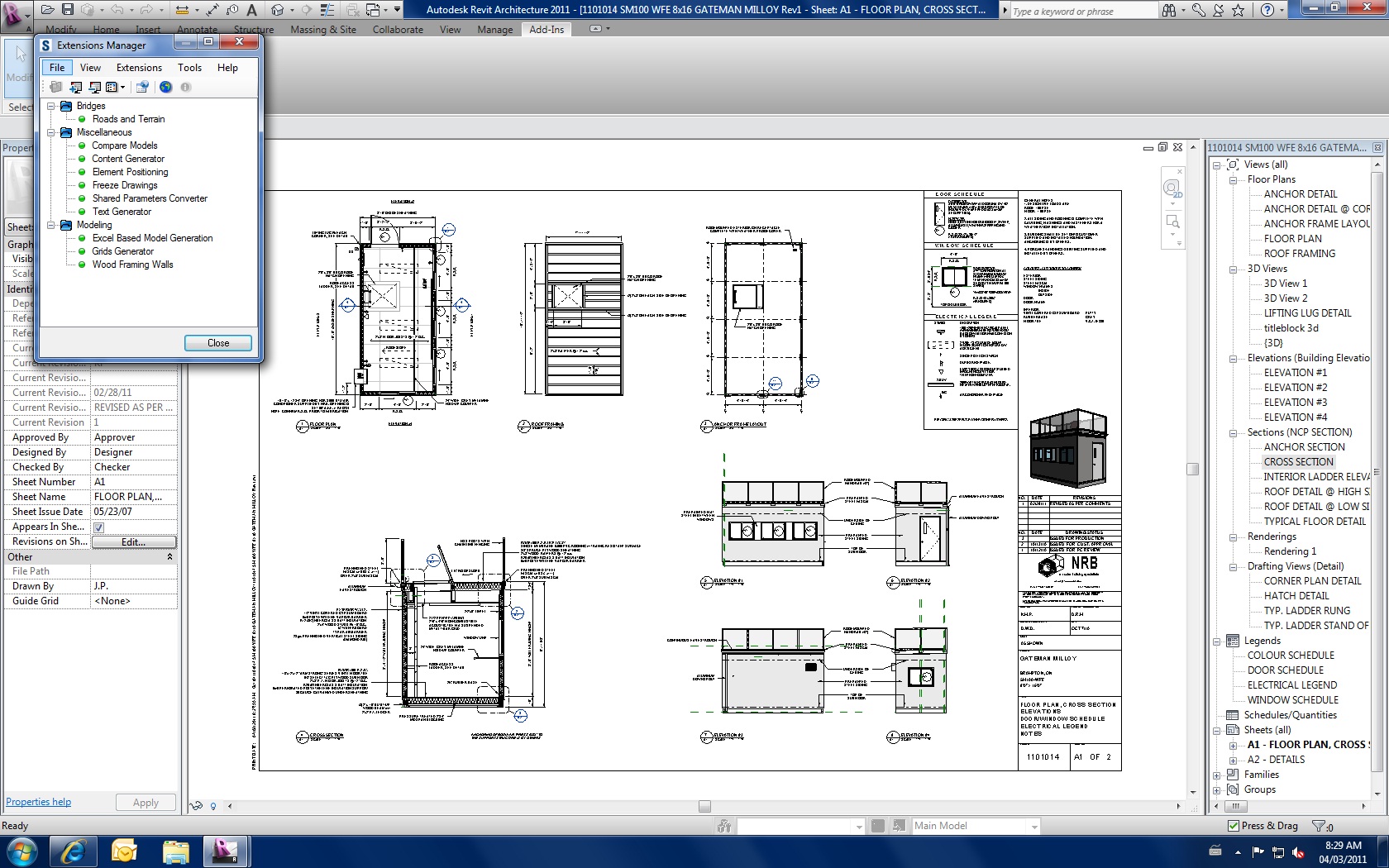
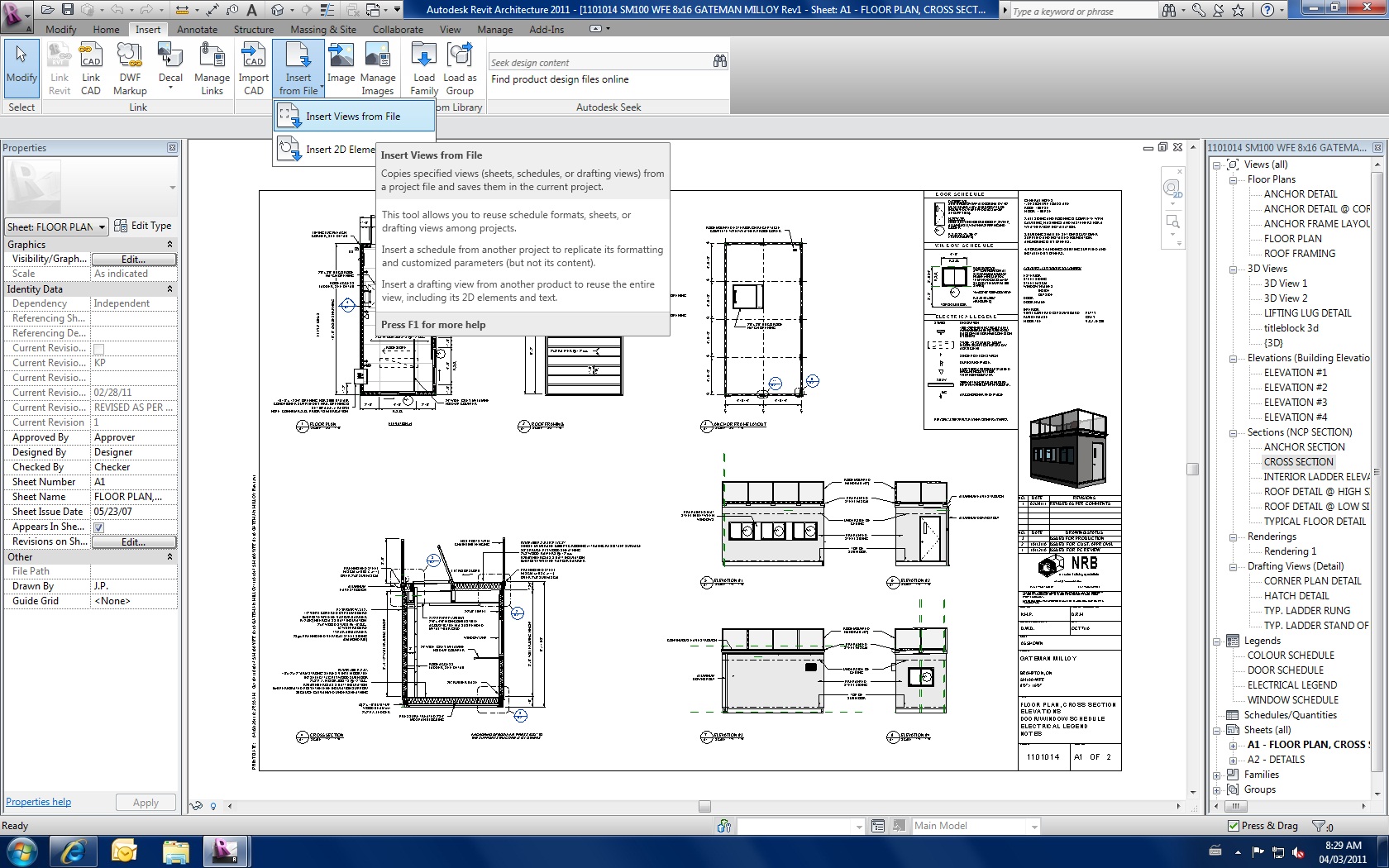
you could use the Freeze drawings add-in to convert it to a drafting view. Then in your new drawing, go to Insert view from File and select the other file, then select only that drafting view.
|
This user is offline |
|
|
|
active
Joined: Thu, Jul 26, 2007
5 Posts
No Rating |
Thankyou that was exactly what I was after. Worked perfectly
|
This user is offline |
|
|
|
Similar Threads |
|
Detail callout vs. Floor plan callout |
Revit Building >> Technical Support
|
Mon, Nov 2, 2009 at 11:03:39 AM
|
2
|
|
Detail callout head size variable? |
Revit Building >> Technical Support
|
Wed, Mar 6, 2019 at 4:26:35 PM
|
1
|
|
Callout Detail Occurs @ Multiple Locations. Anyway to place detail bubbles...? |
Revit Building >> Technical Support
|
Thu, Jan 21, 2010 at 9:09:24 AM
|
1
|
|
How do I show a detail callout in more than one view? |
Revit Building >> Tips & Tricks
|
Thu, Oct 7, 2010 at 1:22:09 PM
|
7
|
|
callout only head |
Revit Building >> Technical Support
|
Tue, Mar 26, 2013 at 7:09:20 AM
|
5
|
|
|
Site Stats
Members: | 2161655 | Objects: | 23325 | Forum Posts: | 152479 | Job Listings: | 3 |
|
 Search